

Have you ever thought,
“Practicing guitar alone feels empty without drums or bass...”
“I wish I had more variety in my backing tracks...”
Practicing alone can feel thin—no drums to lean on, no bass to push your pocket. With the AI music generator SOUNDRAW, you generate a backing track in seconds, pick a vibe, and drop your guitar on top. It’s the fastest way to turn a quiet room into a real session.
SOUNDRAW as Your Online Session Partner
Think of SOUNDRAW as a dependable bandmate: you choose the style and feel, set a comfortable tempo and key, and arrange the song into intros, verses, choruses, and breaks. Adapt the track to how you want to play with our powerful built in editing tool—no DAW required.
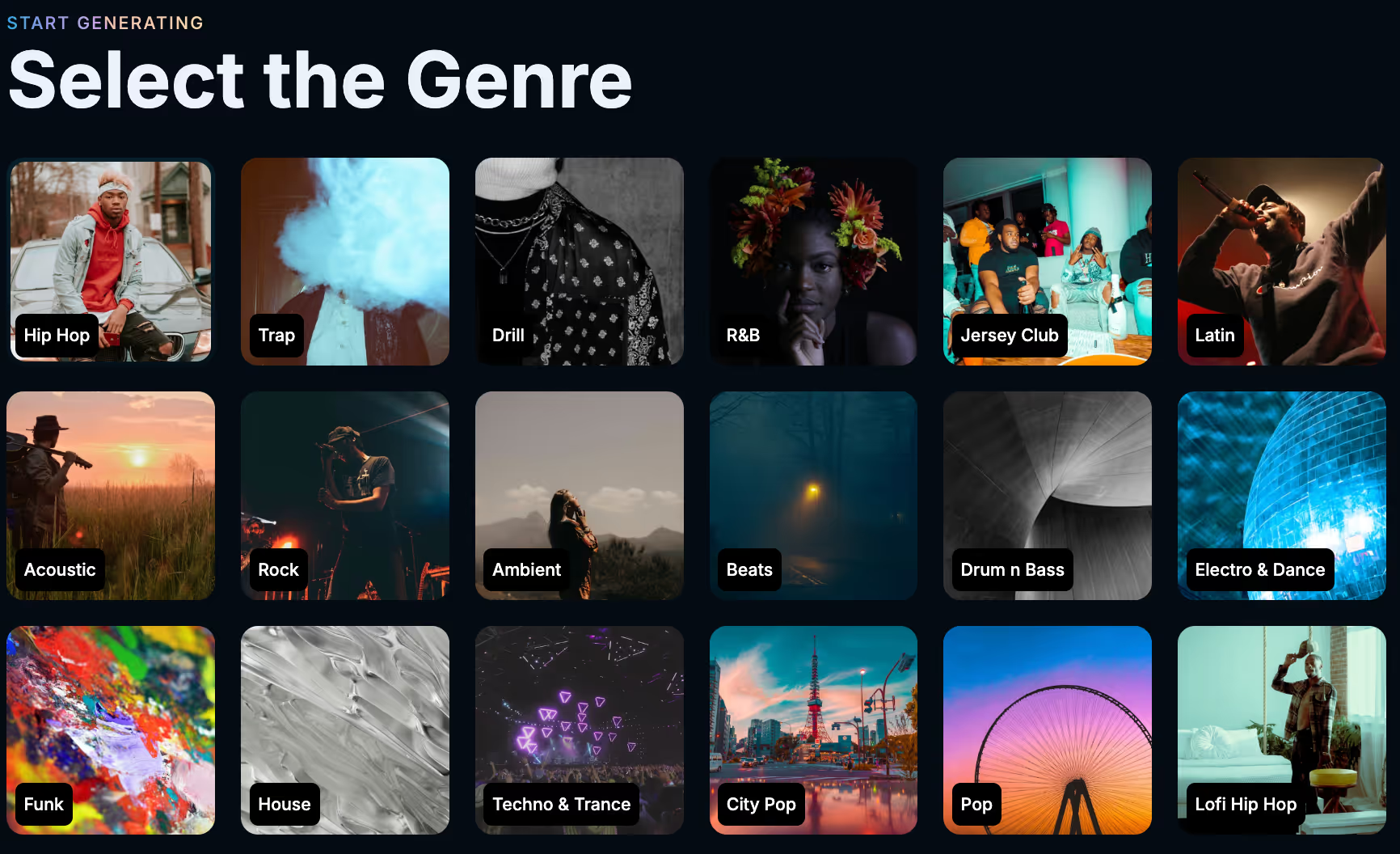
Choose Your Style
Start by picking a style—Rock for crunchy rhythm work, Funk when you want to lock your right hand, or anything in between if you want to switch things up!
Fine-Tune Your Song
Once you've generated a track you like the sound of, you can fine tune it even further to fit your style. Set a tempo you can play cleanly (Rock often lives around 120–130 BPM). Choose a key you like soloing in—E and A feel natural on guitar; drop to D or C if you want a heavier riff. Play around with the available settings to get the perfect sound.
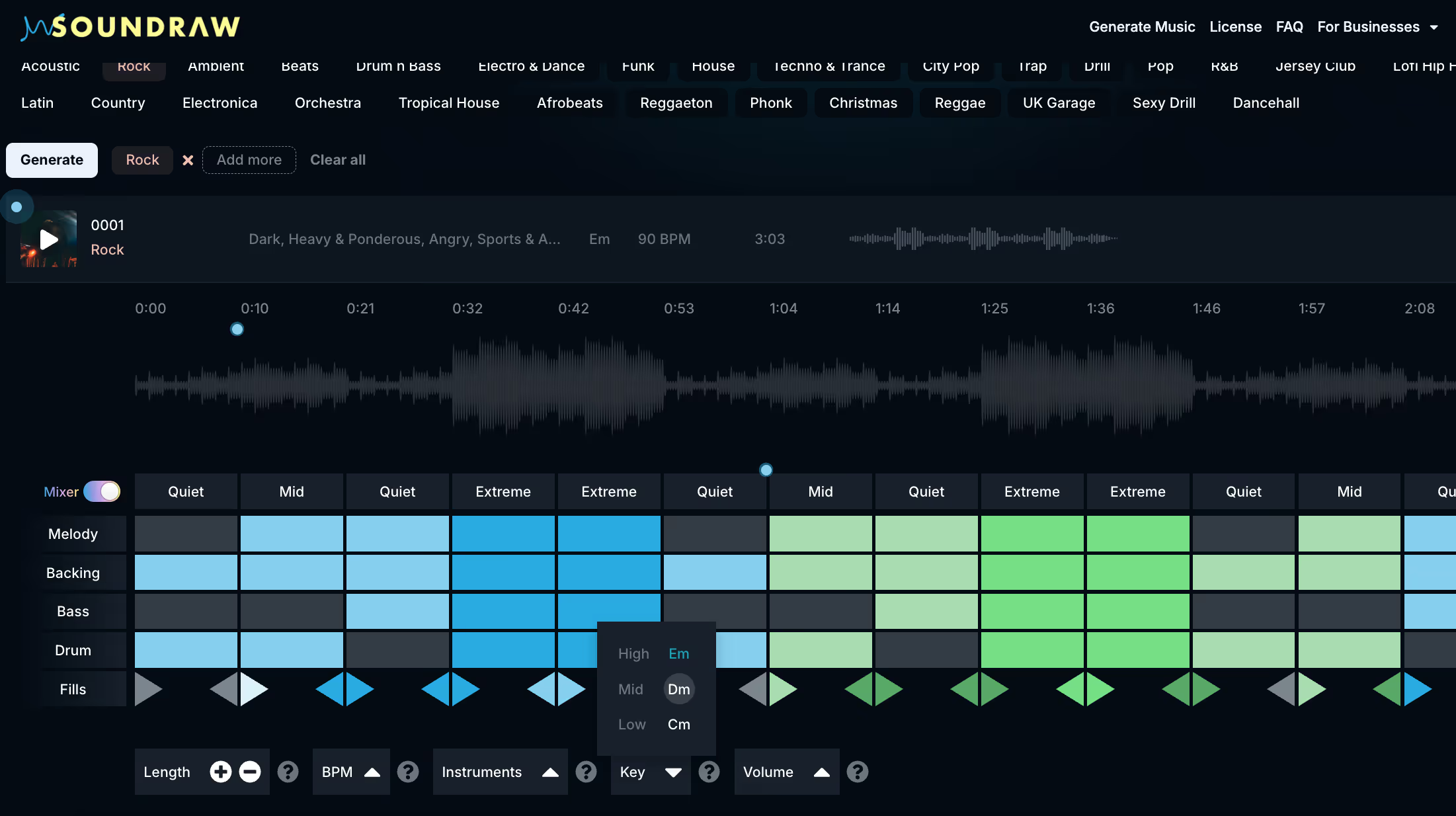
Shape Song Dynamics
Build intensity in the chorus, add breaks, or customize the energy to match your playing. Songs change in real time so you never lose your flow.

No Copyright Worries
Like what you've made? Every track is royalty-free, so you can safely share your performances on YouTube, Instagram or any other form of media!
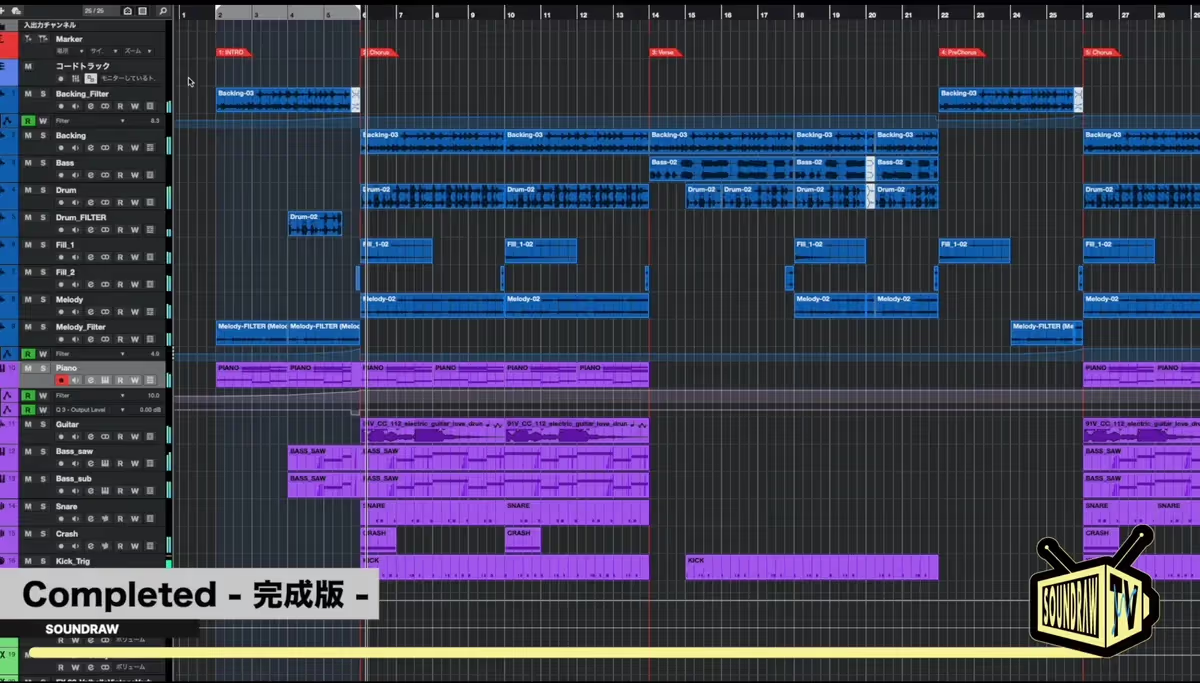
Download For Your DAW
Don't want to play over the song in SOUNDRAW? When you're happy with what you have, you can download stems, mp3 or wav and load it into your DAW. Take the backing track and turn it into a complete song!
Practical Use Cases
SOUNDRAW is easy to use for practicing guitar with a large variety of backing tracks or to find the sound you're looking for to create a full song. Other than that, here are some creative ways you can use these backing tracks to get better or engage with your audience.
Interactive Livestream
Let your viewers vote on a genre, then improvise on the spot. Go live with two or three presets ready (e.g., Rock 126 BPM in E, Funk 104 BPM in E). Use the chat to let viewers vote, then load that style, set the key, and arrange a quick Intro → Verse → Break → Chorus with the Mixer so you’ve got space to breathe before your solo. Keep Intensity at Medium for verses and push it for the chorus; if viewers want a second take, hit Regenerate or tweak the key/bpm/instruments with the Mixer.
Guitar Collab
Collaborate with another guitarist using the same backing track—“guitar battle.” Agree on key/BPM and share the same SOUNDRAW arrangement. Record alternating choruses—Guitarist A takes the first chorus at Medium intensity, Guitarist B takes the second at High—so the dynamics naturally escalate. If you want cleaner separation, export stems and pull the drums down by 1–2 dB during the first solo, then bring them back up for the “answer” solo.
Use for Reels
Post a short weekly “1-minute session” clip in different styles. Pick a theme per week (Funk → Rock → Reggae), keep a consistent template and rotate keys that sit nicely on guitar shapes (E, A, D). Batch four variations in one sitting by changing Intensity and swapping a Instruments to get a different sound. Title your clips “1-Minute Session: Style in Key” so viewers know exactly what they’re hearing and can request the next combo.
Licensing & Plan Clarity
Here’s an important point: this isn’t about releasing songs on Spotify.
If you’re using SOUNDRAW for practice, livestreams, or YouTube videos, the Creator Plan is more than enough.
It’s affordable, lets you generate unlimited tracks, and gives you the freedom to explore countless ideas without worrying about licensing.
If you want more than that you can upgrade to our Artist plan at anytime. Add vocals in your DAW and distribute directly to streaming platforms from the SOUNDRAW website as part of your plan.

Why SOUNDRAW
Because SOUNDRAW’s model is trained on music created in-house, guitarists get fresh, copyright-safe backings without sampling someone else’s work.
That means fewer Content ID surprises and a clearer path to monetizing practice clips, lesson videos, and livestreams. The catalog is consistent—styles feel musical across keys/BPM—so you can focus on phrasing instead of fighting mismatched loops. Arrangement controls (intro/verse/chorus/break) make it easy to leave space before a solo or push energy when you need it, and stems give you room to balance the mix around your guitar.
In short: reliable licensing, predictable sound, and tracks that behave like a real bandmate.
Spin up your first backing track, jam for five minutes, and save the version that made your hands wake up. When you’re ready for tomorrow’s session, your “bandmate” will be waiting.
