
Backing tracks are an essential production component for all types of creative projects. Podcasters use them for intro songs, YouTube creators use them in videos to match B-roll footage, and artists use them to bring more depth to their work.
They add a layer of complexity and texture to music, filling in the gaps for a richer production and a sound that feels well-rounded. Backing tracks allow solo artists to emulate the elements of a full band, giving them more creative direction and control over their projects and live performances.
Backing tracks add value to your music projects by drawing the audience deeper into your production, immersing them in the creative experience. It doesn’t matter what genre you operate in or what content you produce, backing tracks are a must if you want to present a professional piece of content that people want to consume.

Using AI to Make Backing Tracks for Your Projects
But how do you get your hands on backing tracks? Well, normally you’d go to a skills marketplace like Fiverr and find a creator operating in that niche. You’ll hire them to create your backing music and give them instructions. They’ll take a few days to put something together and then send it to you for review. You’ll make notes on the changes you need and keep going back and forth with the creator until you land on something that fits your project.
This process is a drag and takes forever. Not to mention the costs of hiring the creator, which can run into the hundreds, even thousands, of dollars. That’s why traditional music production is out of the hands of so many people—they either can’t afford it, or they don’t have the skillset for it.
But Artificial Intelligence is here to save the day. Next-generation AI music platforms offer you a way to create AI backing tracks with no previous experience, for a much lower cost than hiring a professional for the task.
Right now, you’re probably thinking, “But AI music? That’s all garbage that sounds like a computer bleeping.” Sure, we get you. Previous generations of this tech were clunky and produced mediocre projects. But today's advanced AI platforms deliver masterful projects, full of complexity, with post-production tools to help you fine-tune your track to your requirements.
How to Use SOUNDRAW to Make Custom Backing Tracks
SOUNDRAW tracks are so easy to make thanks to its amazingly intuitive interface. You can create your music in minutes—literally. Don’t believe us? Okay, follow along with us while we create a track. You’ll see how mind-blowingly simple it is to master this AI-powered tool.
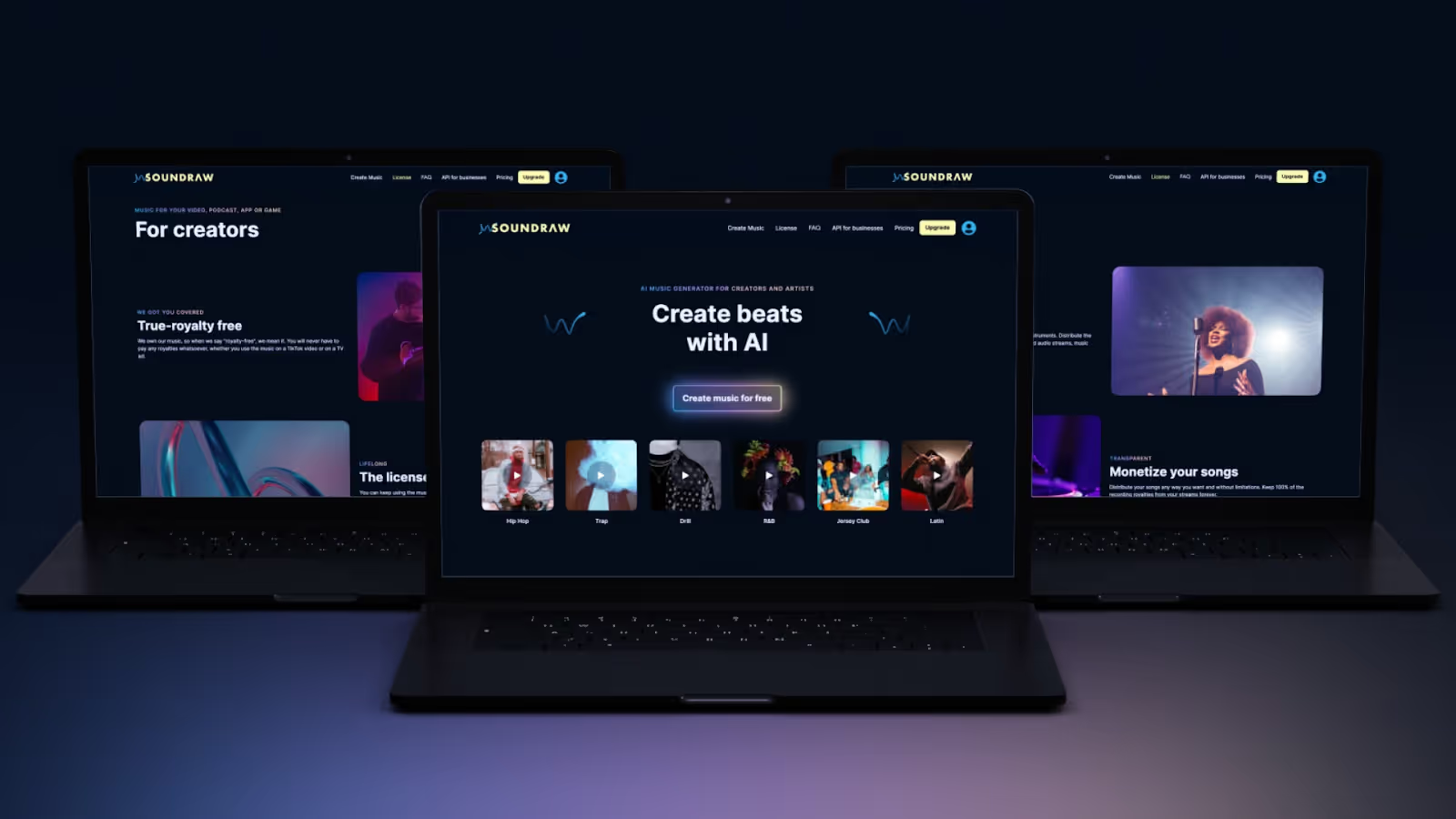
#1 Log onto SOUNDRAW
Start a new project on SOUNDRAW by navigating to the official website. It’s fully mobile compatible, so you’ll get the same experience on your phone as desktop users. One of the best features of using this platform is the fact it’s all cloud based, meaning you’re not consuming resources on your phone or using your memory to store files.
That said, it’s time to get into the low down on how to use this site, and we’re about to blow you away with a five-step process that’s so easy to master it’s going to leave your head spinning with the possibilities.
#2 Start A New Project
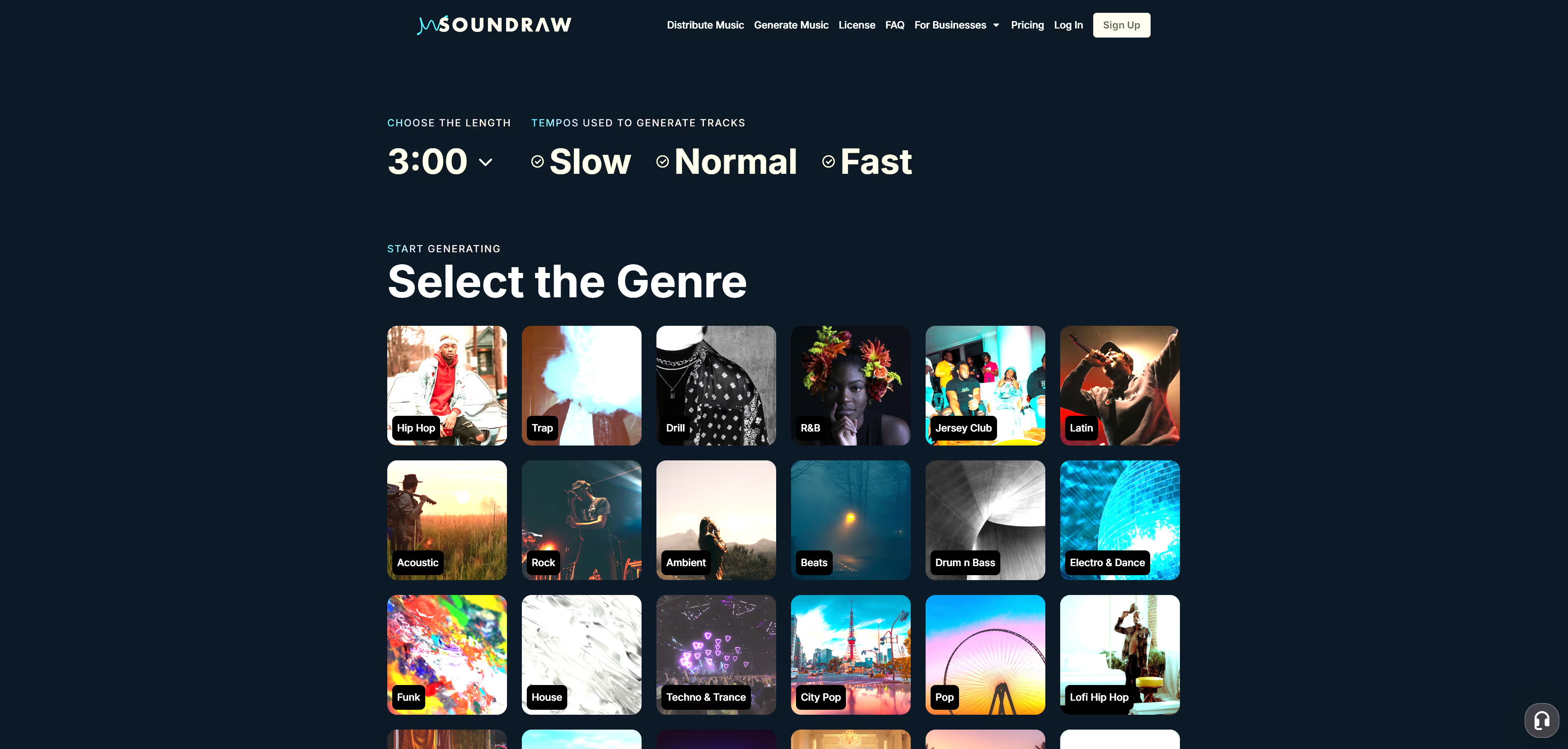
Start a new project on SOUNDRAW by clicking the “Create Music” button in the top ribbon on the homepage. That sends you to another page where you start the click-based prompting process. It’s crazy how easy it is to kick things off. Just select your track length and tempo and then click on one of the genre thumbnails below.
The system pulls you into the editor and presents six auto-generated tracks for you to preview. Browse through each of them and see if you like how they sound. You can favorite the tracks to save them to your library if you want to work on them later.
#3 Prompt the AI and Edit Your Tracks
If you want to change things up with your results, play around with the “genre, mood, theme, instrument, and tempo” tabs at the top, hit the “Generate” button, and you’ll get six fresh previews to peruse.
#4 Use the Mixer
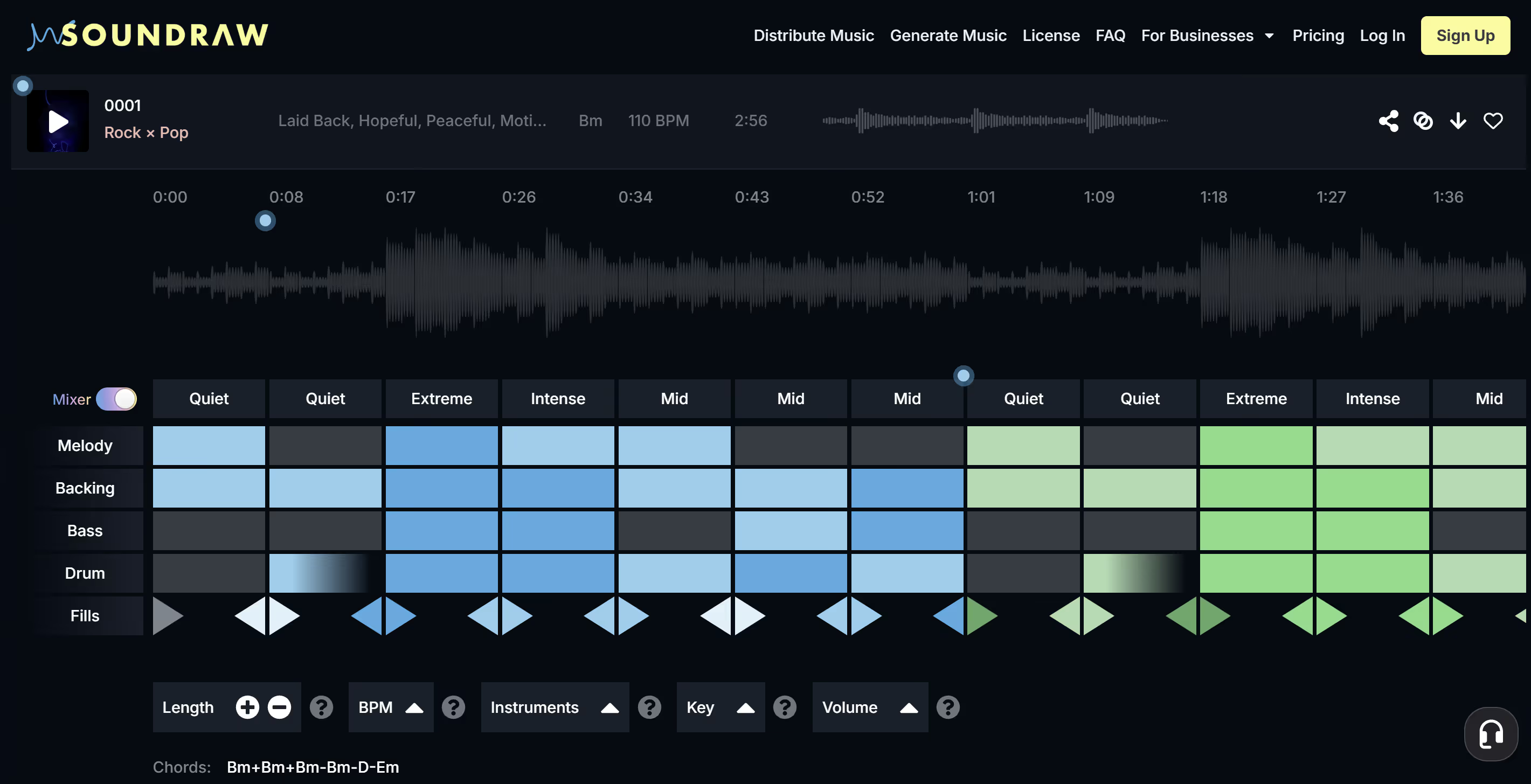
When you finally have something you like, it’s time to push the post-production up a gear. When previewing the track, you’ll see a “Mixer” grid below the preview window. It maps out each section of the sound and shows you how it uses the five elements of each track to compose your piece.
You can change each of the five elements—melody, backing, bass, drums, and fills—by simply clicking on the grid. It’s that easy—we weren’t kidding when we told you this was going to blow your mind.
But it’s not over yet.
Check the five options below the grid. Use each of these elements to further refine your sound. You even have the option of changing the key of the music and the Volume setting lets you adjust each element of the track independently to create some mesmerizing audio effects. There’s no need for a DAW—SOUNDRAW gives you everything you need to make banging AI backing tracks for your songs and videos.
#5 Download and Archive
There you have it. How easy was that? It took you a few minutes to create an AI-generated track and use AI tools to edit it. Now you have the option of saving it to your library to work on it later or downloading the track to your device or hard drive.
The beauty of this platform is that you can download it later when you’re at home and around a hardwired connection where you don’t need to pay for mobile data. SOUNDRAW truly is the most compact, flexible AI music platform available, and you can take it with you wherever you go.
Enjoy License-Free Backing Tracks for Any Project with SOUNDRAW
One of the biggest issues for creators looking to make samples or use loops is the licensing costs that come along with using other artist’s work. There’s nothing more emotionally frustrating than seeing a copyright strike in your creator dashboard after you spent hours developing your intro track for your podcast.
With AI-driven music platforms like SOUNDRAW, you get original music, and complete license control over anything you create using the tool. You don’t have to pay any royalties, and you can use the music for any commercial purpose, with no limitations if you take an Artist subscription.
Get Started with SOUNDRAW Subscriptions for Any Budget or Career Requirement
If you followed along with us and used SOUNDRAW to create your first AI-generated piece of music, well done! Now you’ve seen the power of this next-gen platform and what it has to offer your career. Whether you’re a professional producer or an amateur podcaster, SOUNDRAW is the indispensable tool you need in your production and post-production studio setup in 2025.
Getting started with SOUNDRAW is easy. If you feel it adds value to your work, take a subscription. The Creator package costs $12.99 per month, and you get unlimited downloads of license-free AI generated music, and full use of the platform, with no hidden charges for additional feature access.
If you’re a professional artist, step up your SOUNDRAW game and take an Artist subscription. Starting at $25.99 per month, these packages let you add your vocals and instrumentals to the SOUNDRAW tracks you create, and publish and monetize your songs on any platform, like Spotify, all license-free. There’s a subscription tier to suit any budget and any project requirement, sign up and start leveraging the power of AI-driven music today!
