

Everyone loves that instrumental solo in a banging track. Instrumental beats are great for everything from podcast intros to samples for complete tracks—but they’re challenging to source. If you’re hunting for solutions to creating unique beats, then you’ve probably already run through a bunch of free tools that leave you scratching your head, more confused than when you started.
While some software tools are powerful it takes a lot of time and experience to master them. What if there was a way to create professional instrumental beats without paying big dollars?
AI answers these creative issues, bringing you music tools that create license-free, original instrumental beats you can use for any purpose. SOUNDRAW offers you a next-generation AI-powered platform to unlock your creativity and add value to your projects, without the frustration of a steep learning curve or the costs associated with hiring a professional to do the work for you.
Let's look into how you can use AI-driven music platforms—like SOUNDRAW—to create amazing instrumental beats.
How SOUNDRAW Fits into Your Music Projects
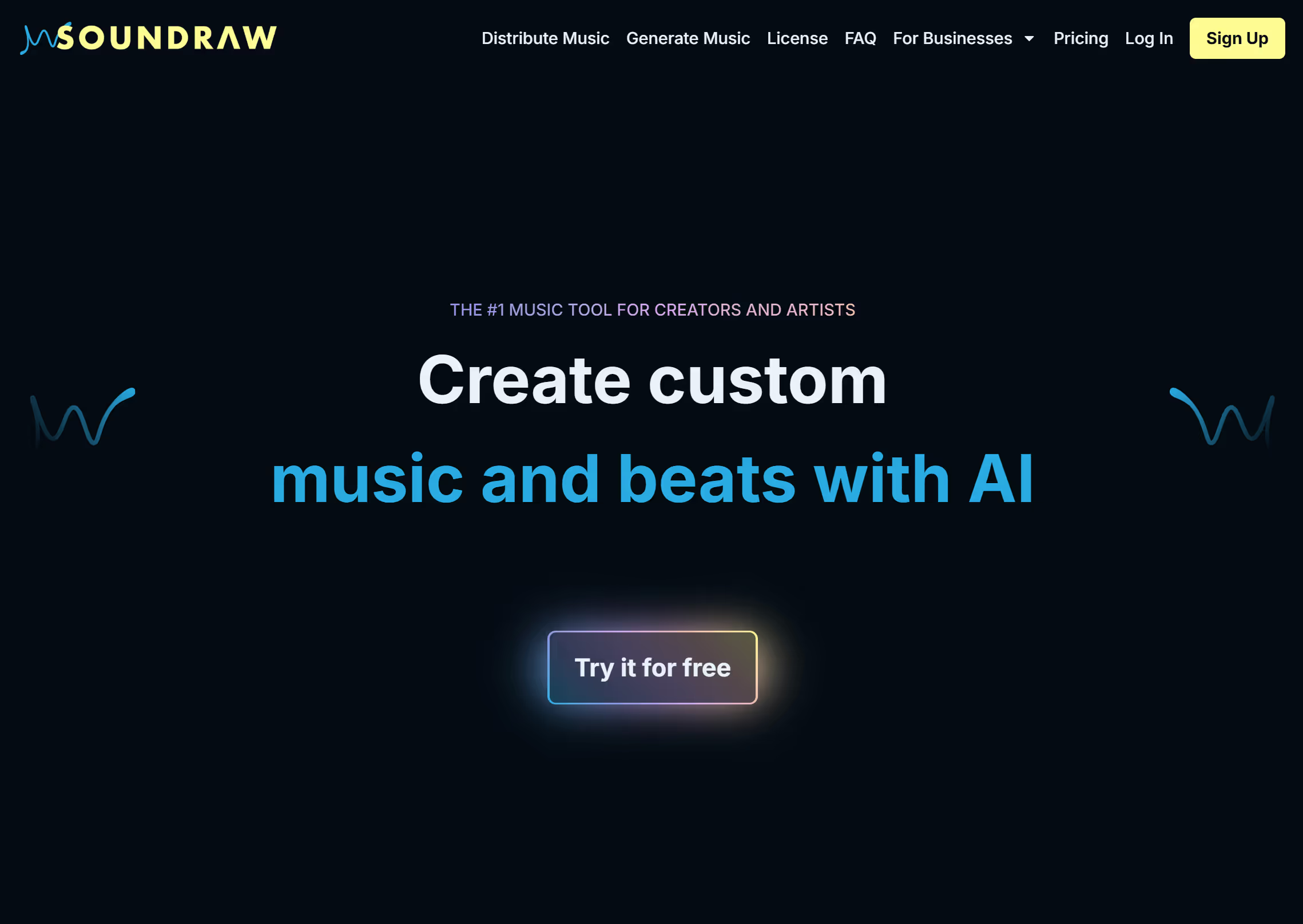
SOUNDRAW is an incredibly powerful AI tool capable of producing music for any task, in any genre. It’s simple click-based prompting interface makes it easy to setup your first project, and even easier to edit the track.
Music for Any Genre
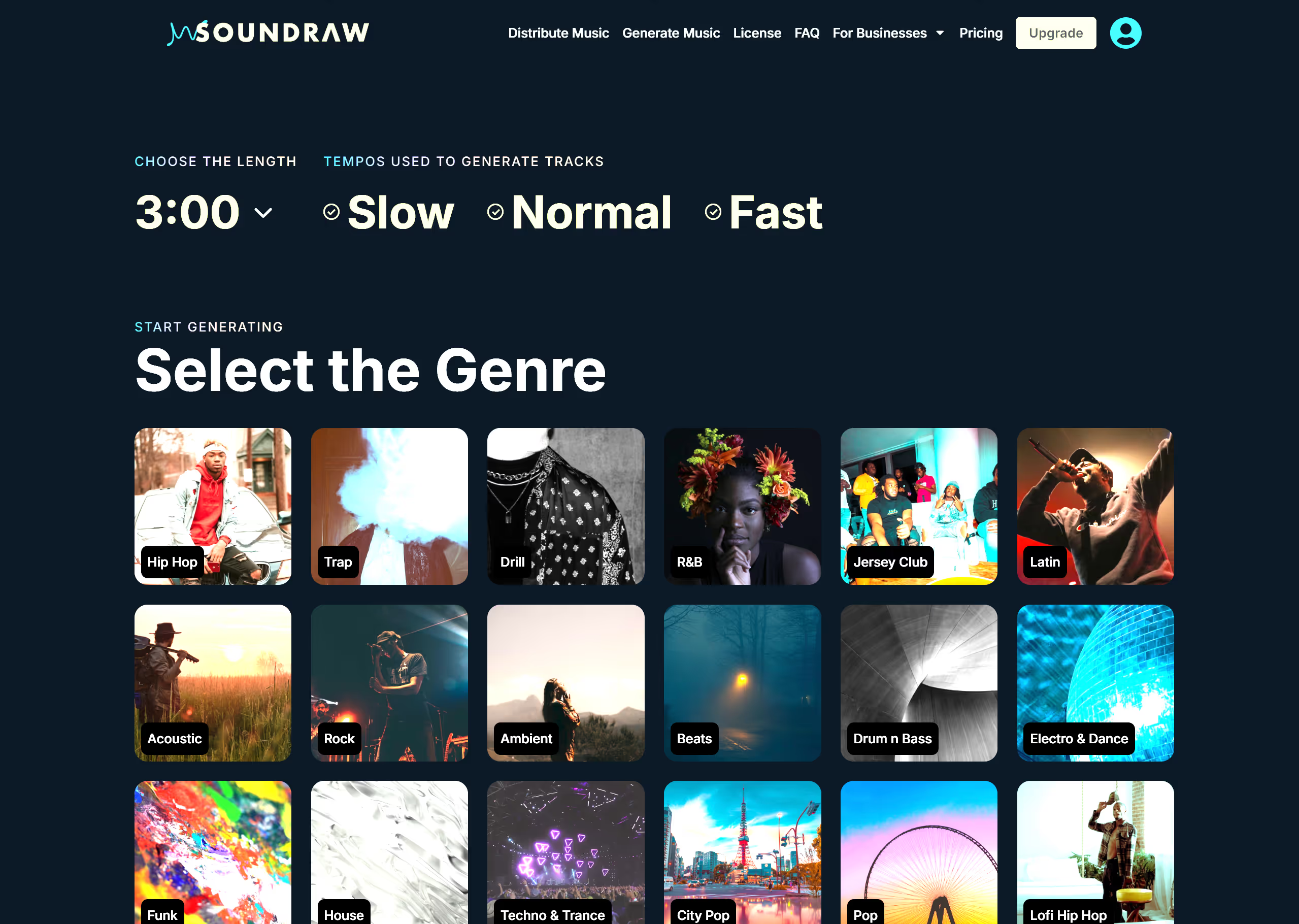
When you start the creative process on SOUNDRAW you’ll need to select your genre, and there’s plenty of choice. Browse the thumbnails on the creator page and you’ll see all your favorites lined up. What’s unique about the V2 of SOUNDRAW is its ability to incorporate multiple themes into your projects. Cross rock with hip-hop or instrumental beats with country to create a unique sound.
No Experience Needed
Opening an editing platform for music post-production can feel confusing and frustrating. There’s so much to learn to master the editing tools that it becomes overwhelming, and you eventually end up outsourcing the work to another creator. That’s not the case with SOUNDRAW. You get an intuitive interface that is easy to operate and leverage the full power of the platform, and customize beats with AI, without any complicated learning curve.
License-Free Productions
Every piece that SOUNDRAW composes is completely original and free from licensing limitations. You get royalty-free beats delivered in seconds, with no usage restrictions if you take an Artist subscription. Commercialize your content any way you want, and pay zero royalties.
Create Your First Beat with SOUNDRAW Right Now
We’ve made AI tools like SOUNDRAW sound so good right now, but we’re about to prove to you that this isn’t some puff piece. Do you want to see it in action? Do you want to see real results in the next five or so minutes?
So, are you ready for this? Let’s get into it.
Step #1 – Log Onto SOUNDRAW
First, head over to soundraw.io. You’ll land on the homepage where you’ll see a ribbon on the top and a button labelled “Create Music.” Click it.
The system pulls you through to the creator page where you get a click-to-prompt interface. Start the process by choosing your track length, there are options from 10 seconds to five minutes.
Then click the tempo you want for the track and select one of the thumbnails below that matches the genre of music you want to create.
Step #2 – Start Your Instrumental Beats Project
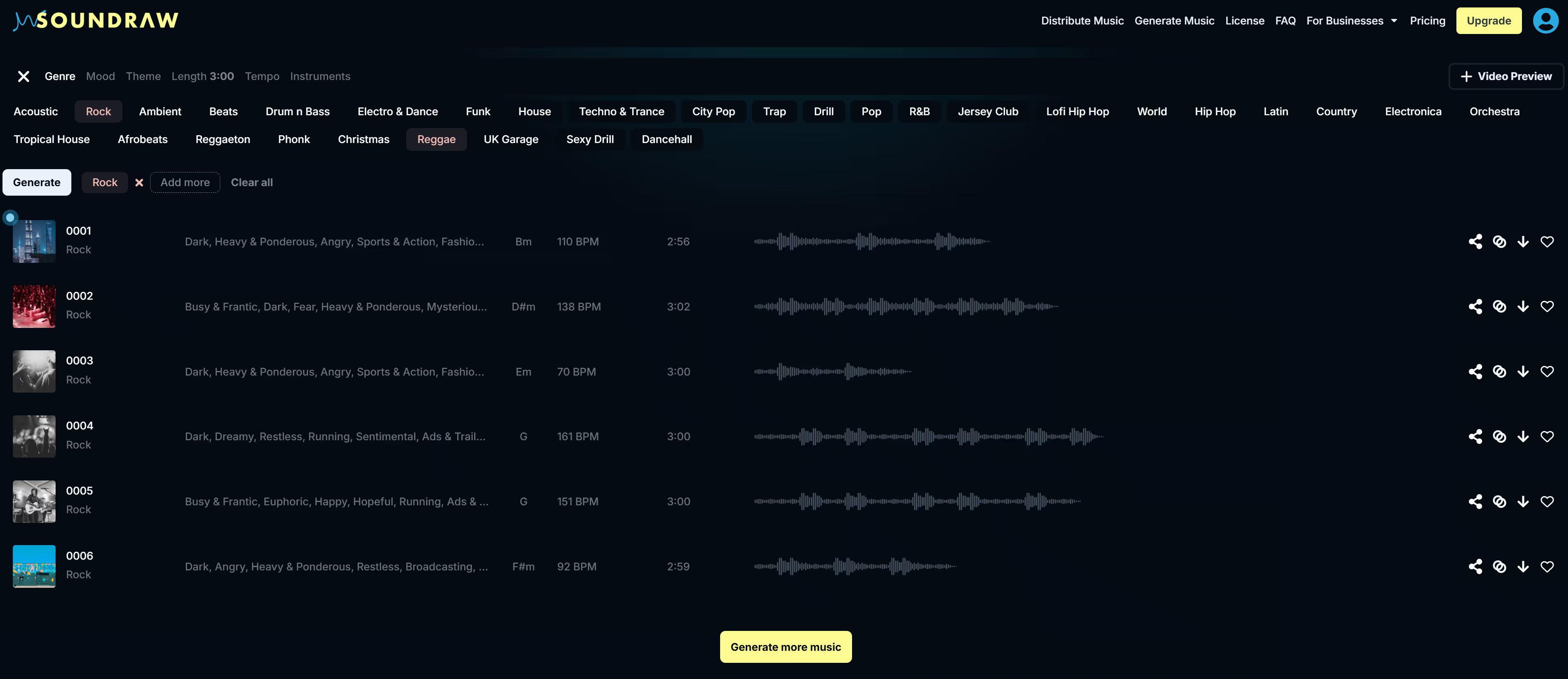
As soon as you click the thumbnail the system pulls you through to the Creator Dashboard. The system auto-generates six tracks for you to preview, and you’ll see them in the main window below. You’ll also see a list of tabs across the top, with the ability to adjust the genre, mood, theme, length, and tempo of the track. You also have the option of adding instruments.
Step #3 – Complete Basic Editing
Play around with the tabs to see how it affects the results. This platform shines because you can choose one or more genres. That means you can blend hip-hop with trap or country with rock—you do you–however you want it, SOUNDRAW delivers.
If you’re looking for instrumental beats for marketing campaigns, try the “themes” tab. You’ll see a list of thumbnails for different themed categories to suit your campaign objectives. While these editing tools are pretty impressive, to say the least, the advanced post-production suite brings even more to the table.
Step #4 – Try the Advanced Post-Production Tools
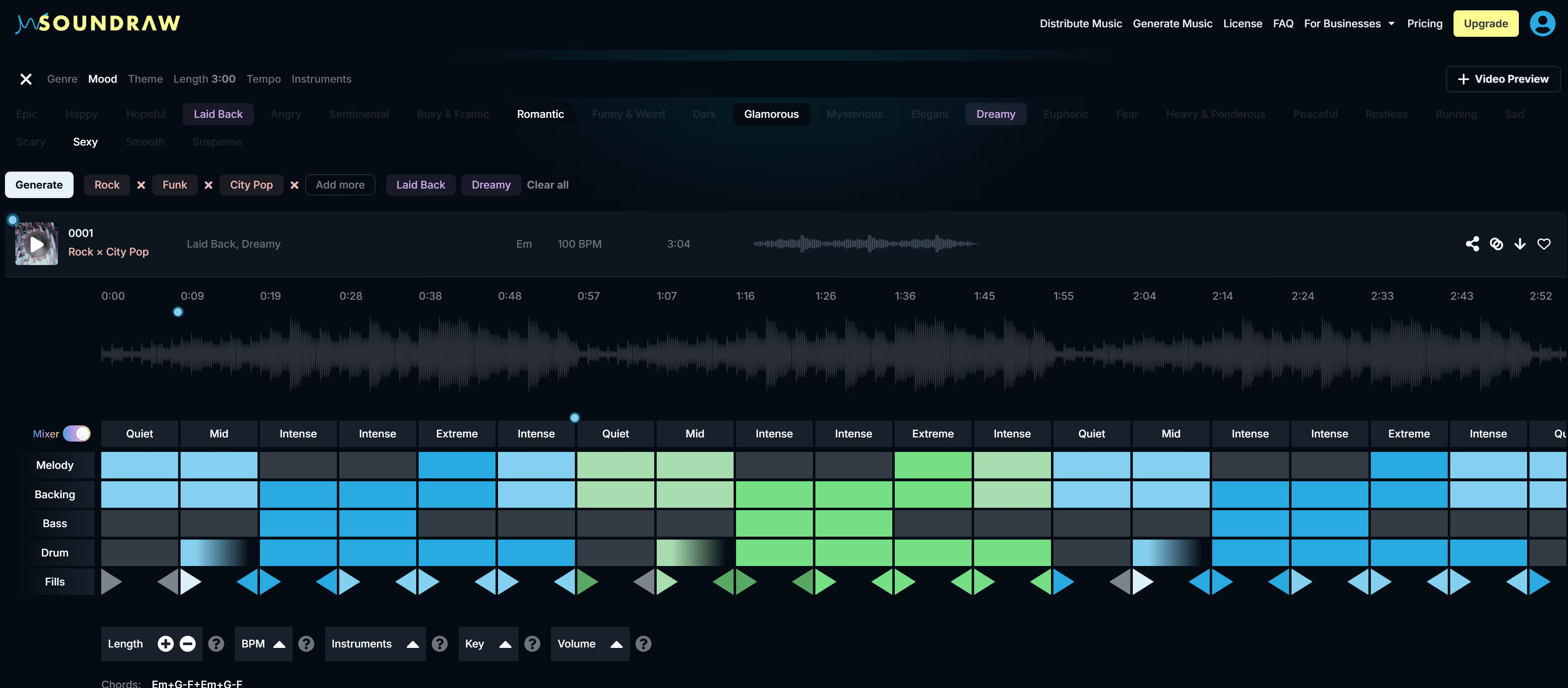
Below the track, you’ll see a “Mixer” grid with blue, green, and grey blocks. The blocks coincide with a section of the track above and on the right, you’ll see a list of five elements covering the foundational musical features of the track. Click the blocks to adjust the feel of the beats and use the advanced tools below to adjust the length, tempo, and key of the music. You’ll love the independent volume adjustment tool that lets you control the level of each element in the track.
Step #5 – Convenient Archiving for Download
Play around enough and you’ll soon get the hang of the Mixer tool in SOUNDRAW. When you have your finished product polished and ready to go, you have options for storage locally on the platform or off-site. Smash the favorite button on the right and the system saves your work to your library. Click the download button and you get a copy delivered to your device for storage on external hard drives. SOUNDRAW is a complete production platform that gives you all the tools and creativity you need to manage your project from start to finish.
Subscribe to SOUNDRAW and Advance Your Studio Production Value
You’ve seen firsthand how easy it is to use SOUNDRAW—anyone can do it. If you think this production and post-production suite offers your career value, it’s time to take action and subscribe. Typically, you’d pay hundreds or thousands of dollars for professional mixing and mastering equipment, and the costs of software licenses to run that equipment.
Today, you get all of that rolled into one simple monthly subscription fee. Pay just $12.99 per month to get started with SOUNDRAW and enjoy unlimited downloads of license-free AI music. You can always level up to the Artist package, starting at $25.99, letting you add your instrumentals and vocals to the AI beats you create, with complete monetization and distribution rights—all license-free.
AI is turning the music industry inside-out and disrupting the way creators go about securing their content. Now, AI empowers anyone with a mobile phone or computer with a complete AI music production suit, for a fraction of the cost of using legacy methods to produce music like loops, samples, and even full-length tracks.
Take the first step into a new era of music production and subscribe to SOUNDRAW today.
