

AI music creation has come a long way since the late 2010s when it was a clunky, inefficient mess that no one wanted to use. It’s kind of like looking back at the first iPhones from 2009 compared to the latest Pro 16—they just aren’t the same devices or technologies.
If you make a song with today’s advanced AI-powered music platforms, you’re leveraging a technology so advanced that there’s really nothing to compare it to. The scale of artist empowerment SOUNDRAW brings to the table is just mind-numbing.
What Is SOUNDRAW?
When it comes to using AI music generation tools that deliver outstanding user experiences, there’s only one tool you need to know about—SOUNDRAW. This next-generation AI-powered music platform comes with production and post-production tools to help any artist creator make music on demand.
SOUNDRAW is different from all the other AI-based music studios out there for several reasons. But if we had to pick one element of the site that stands out from the pack, it’s the click-based prompting. You don’t have to think about how to prompt the tool, SOUNDRAWs intuitive navigation experience leads you through the prompting journey effortlessly, and fast.
You get a complete production and post-production studio to facilitate any creative process. SOUNDRAW drops the financial barriers to entry that keep so many artists from breaking through to experience success. It gives them a powerful, all-in-one production and editing tool that delivers world-class results.
What Kind of Tracks Can I Produce with SOUNDRAW?
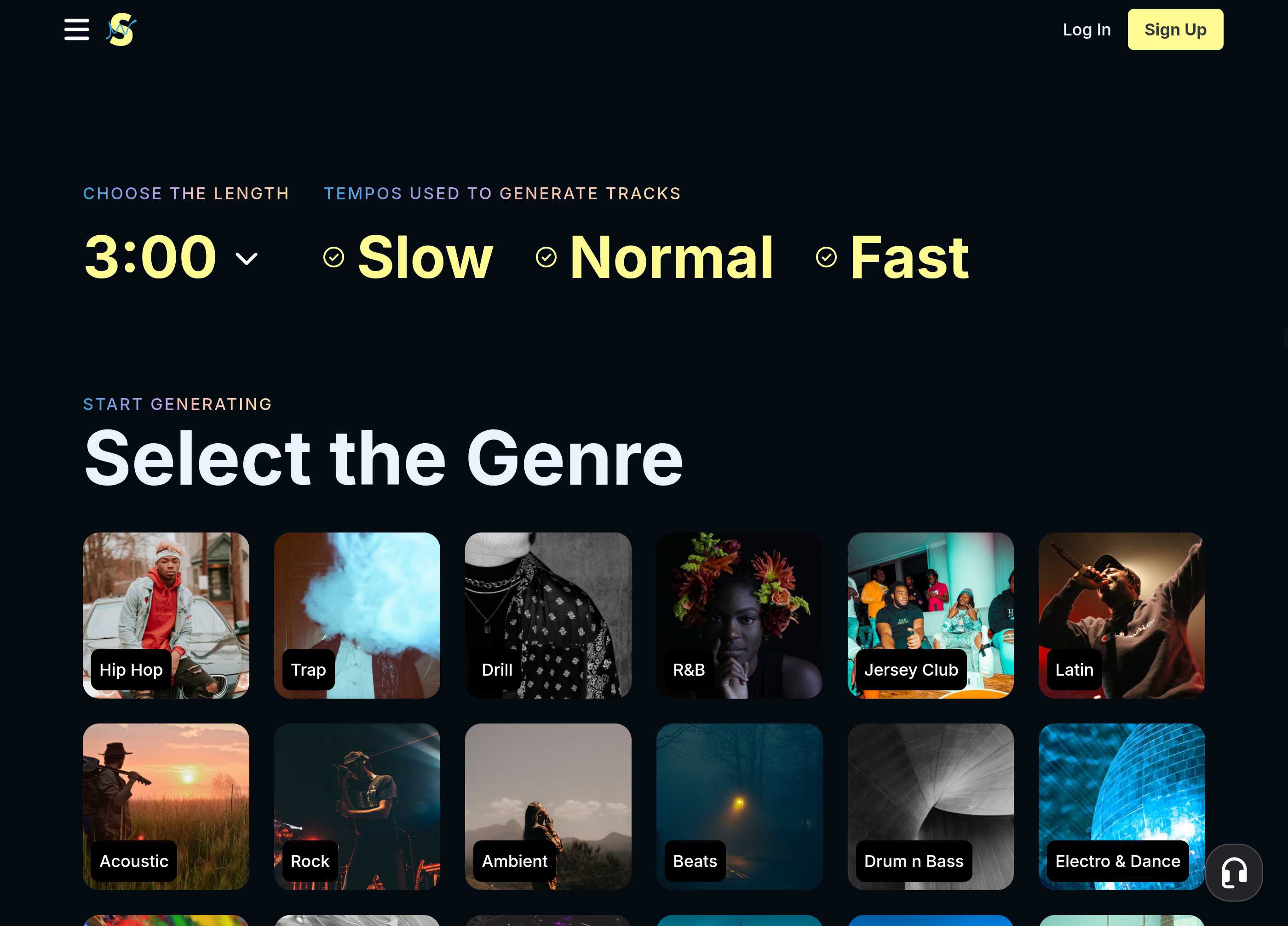
When you log onto SOUNDRAW, click the “Create Music” button on the top ribbon. That click pulls you through into the SOUNDRAW promoting tool. If you scroll down past the first few prompts, you’ll see a library of thumbnails clearly labeled with a genre of music, ranging from drill rap to country.
SOUNDRAW has 31 different genres to choose from, and when you click your preferred genre, you get sent to the post-production suite where you can edit your track even further. When you arrive in the editing suite, you’ll see more tabs along the top ribbon. If you click the genre tab you’ll see the other options appear.
What’s cool about the V2 SOUNDRAW platform is that you can cross genres. In other words, it’s possible to create different sounds and come up with totally different tracks—that’s the beauty of this creative platform in action. Let’s give you an example. For instance, you’re a hip-hop artist who wants to get a reggae vibe going in their upcoming title track for your next album.
You can select the hip-hop genre and select the reggae or dancehall genre tab to change up the results SOUNDRAW gives you to preview. Essentially, SOUNDRAW is giving you the ability to create any music genre you want.
If you’re a content creator looking for music for your next ad read or podcast intro, SOUNDRAWs intuitive prompting makes it easy to create anything you want. Just visit the “themes” tab and you’ll see a collection of 22 different themes from Documentary to cooking. Just click the theme that suits your content and SOUNDRAW gets to work generating AI music tailored to your theme.
Are There Any Licensing Rights on What I Create?
This is where things get a bit hazy. Generally, almost everything you create on the platform is license-free, and you can use it in any commercial project, like a podcast intro. But if you’re using SOUNDRAW to create full-length tracks to monetize on sites like Spotify, you could run into licensing issues if you just use the raw generations SOUNDRAW gives you.
To ensure you don’t have any issues, use the Mixer tool to change a few elements, and bam—you have a totally new track that you can use in any commercial application. There are specific restrictions on monetizing Lofi beats, but—once again—you can skirt around those rules using the Mixer.
While licensing might seem like an arbitrary thing to bring up, it’s actually a huge problem—especially for new artists with small budgets. Paying licensing fees for loops, samples, and beats for your songs and commercial projects costs money, and AI music tools like SOUNDRAW dissolve those costs.
Create Your First AI Music Track in Less than 5 Minutes with SOUNDRAW
That’s a bold headline, right? But—we swear—it’s the real deal, and we’re going to prove it to you right now. Here is a five-step process to creating your first song on SOUNDRAW, and you don’t have to spend a cent to try it out, or even register an account.
Are you pumped to give it a go? Sweet, let’s get into it.
Step #1 – Visit Soundraw.io
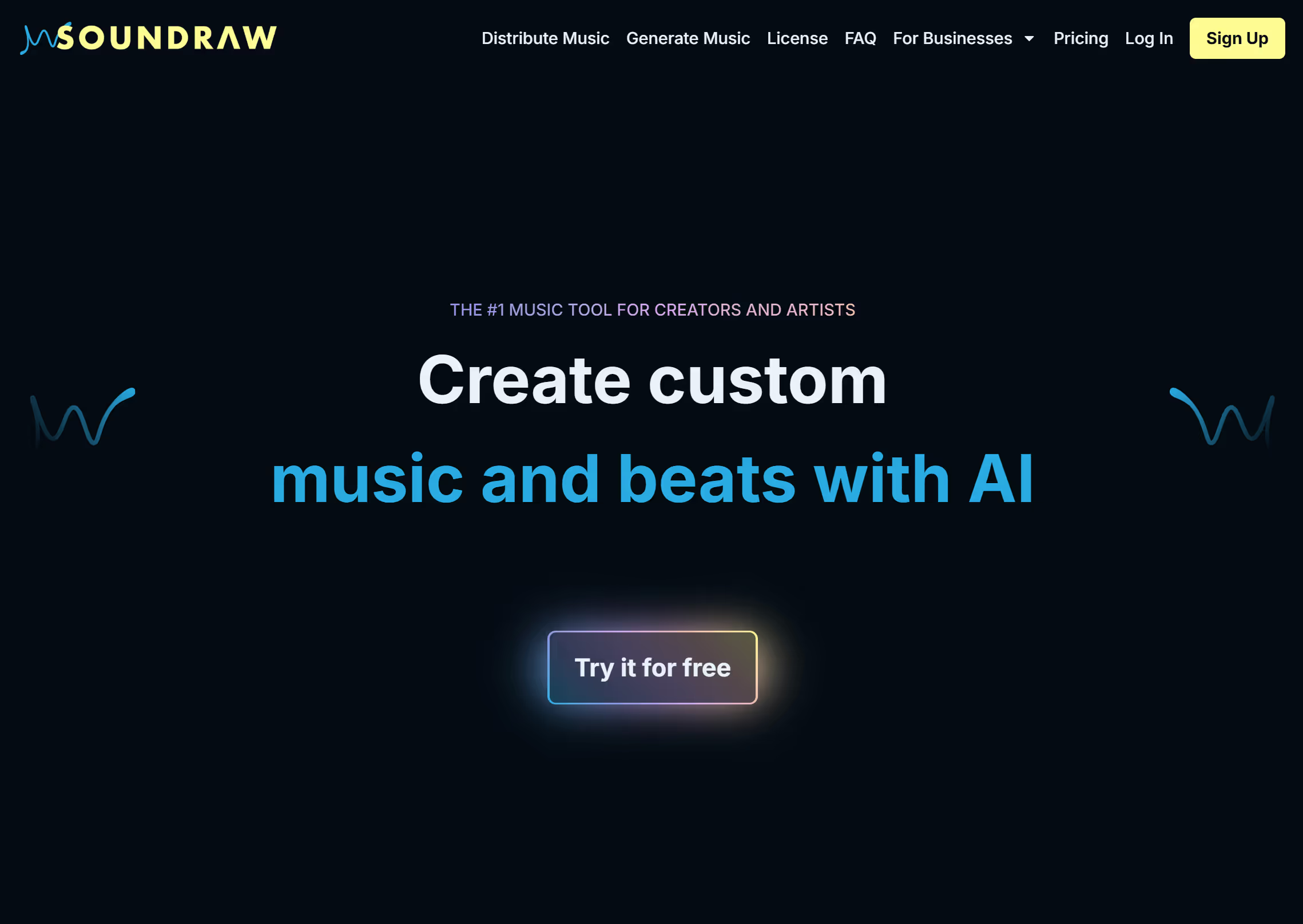
Start by navigating your browser to soundraw.io. The beauty about SOUNDRAW is that the desktop and mobile experiences of the site are identical, and you don’t lose any functionality if you’re using the mobile interface—everything works great.
Step #2 – Start Creating and Prompting
When you land on the site's homepage you’ll see the “Create Music” button in the top right corner, click it and you’ll go to the first stage of the prompting process.
A screen loads where you have the prompting page to work through, and this is where things start to get interesting. As we said earlier, the click-based prompting on SOUNDRAW is simply unreal. Start by clicking the “Choose the length” tab on the top left. You can set your track length from 10 seconds to five minutes. Then tap the speed you want the tempo to run at. Below that, you’ll see the genre tabs we mentioned earlier, click the one that best describes the song you want to create.
Step #3 – Preview and Re-Prompt
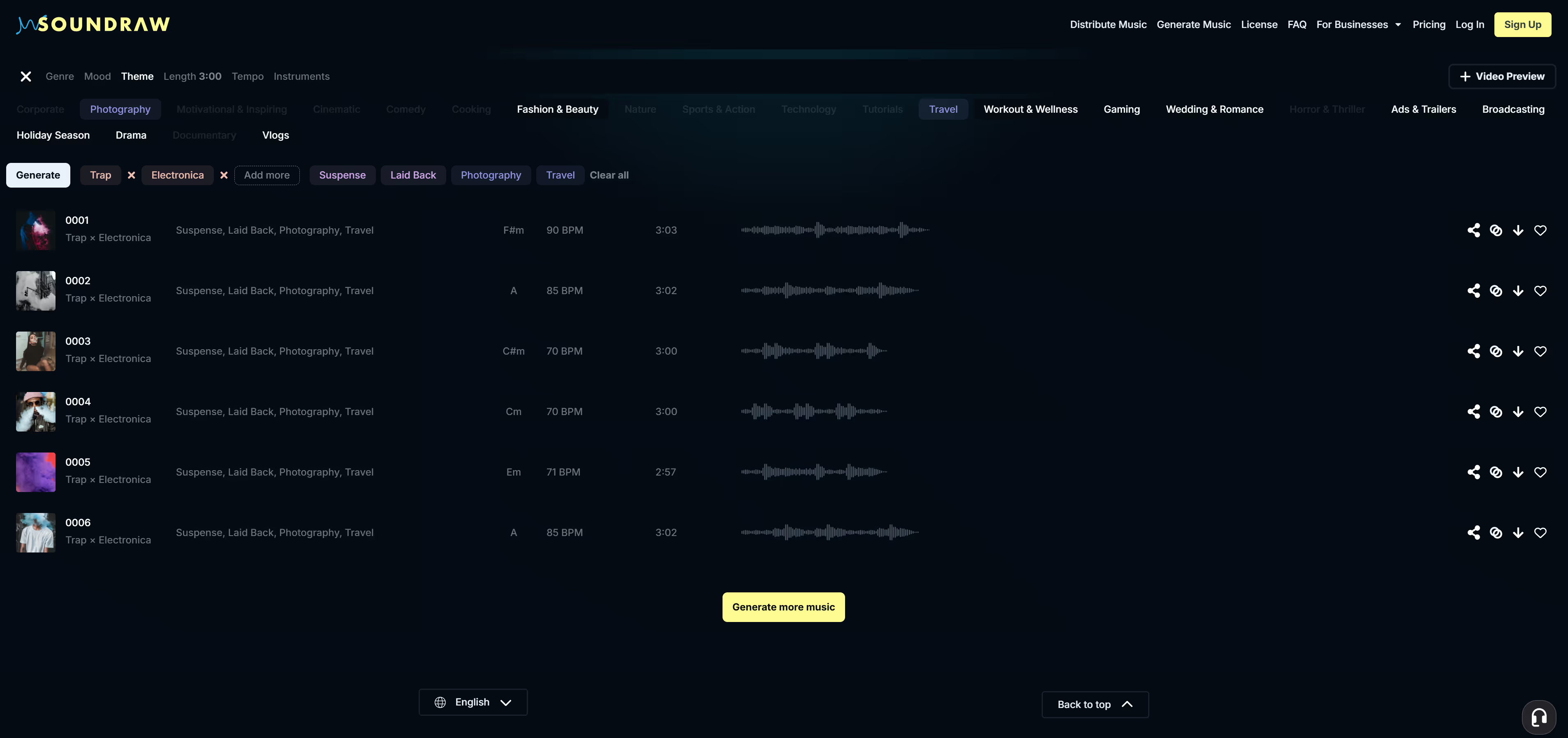
As soon as you click a genre button, the platform pulls you into the post-production suite where you can edit your track. Start by looking to the main panel, where you’ll see six AI-generated tracks made to your specifications waiting for you to preview.
Work through them, and if you don’t like any of them, hit the “Create more music” button at the bottom of the page to get six new options. You can click other genres to create cross-over beats. For instance, you could click rock and country to create a unique sound for your song.
Click the “mood” tab to change the feel of the song and the “instruments” tab lets you add keyboards, drums, and other sounds to your song with a simple click.
Step #4 – Use the Mixer Feature
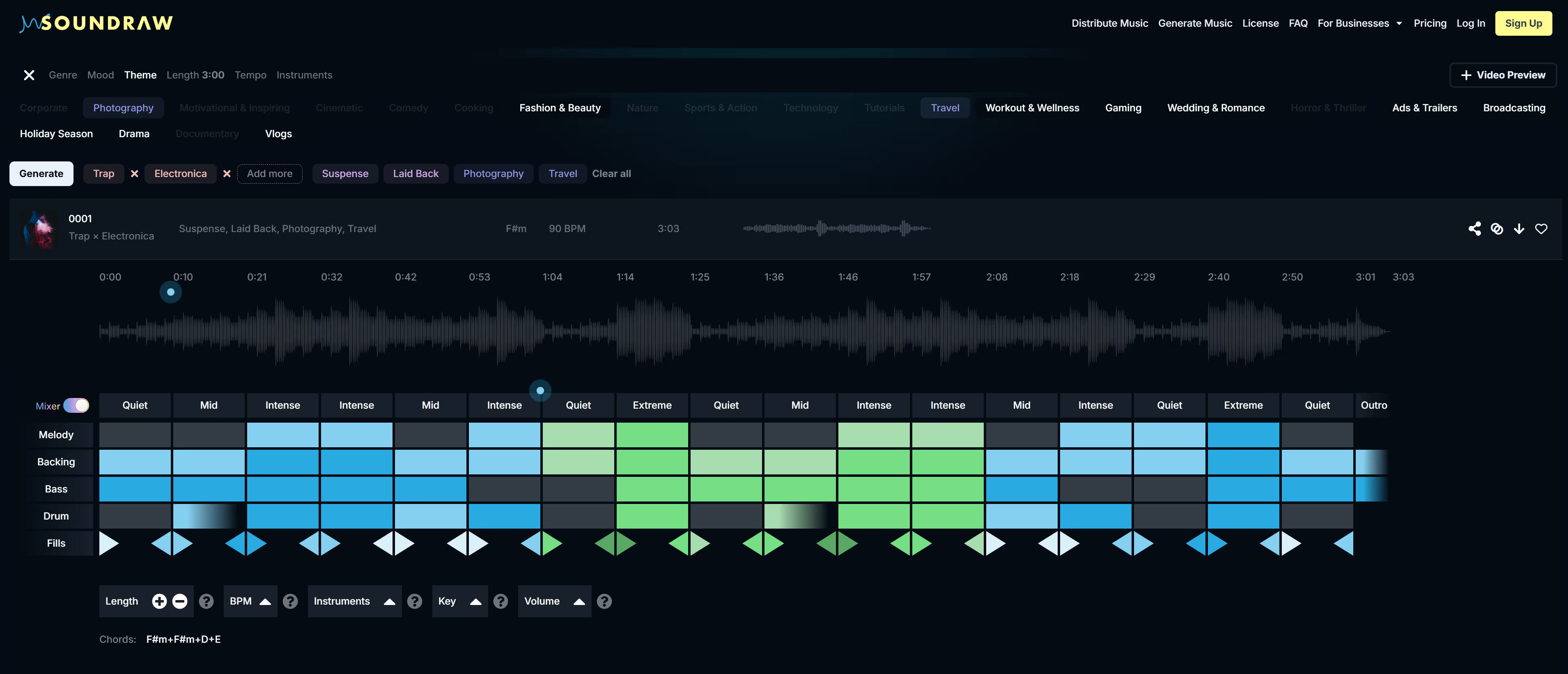
When you’re happy with your base track, it’s time to get into the advanced post-production tools on SOUNDRAW. If you look below your track you’ll see a grid—that’s the “Mixer” feature, and the engine room of the post-production process for your song.
You’ll see a collection of blue and grey rectangles in the grid representing an element and its involvement in a specific section of the track. The five elements—melody, backing, bass, drum, and fill—give you options to change how they incorporate into the track.
With the Mixer tool, you can do everything from changing the volume of each independent element in the song to changing the key of the music. There’s no advanced learning curve or sound engineering degree required to get the most out of this AI-powered platform.
Play around with the settings and you’ll end up with a totally unique song that you can use in any commercial project.
Step #5 – Download and Archive Your Tracks
All that’s left to do is favorite your song to add it to your library. When you’re around a fixed connection, download your track to your device or desktop. This lightweight tool doesn’t consume data or resources on your phone, it’s like a cloud-based music studio in the palm of your hand.
Let SOUNDRAW Add Real Value to Your Creative Process
You can try the step-by-step process we’ve described above for free; you don’t even need to create a SOUNDRAW account to experiment with the platform. But if you want to download your track, you’ll need to create an account and take a subscription, and that only takes a few seconds with Google Sign In. The entire SOUNDRAW experience is built around a click-based model that’s so easy to work.
If you feel you could use SOUNDRAW in your daily content creation process, think about signing up for a monthly subscription. SOUNDRAW offers two different subscription packages—Creator and Artist. The Creator package gives you access to unlimited downloads of AI-generated beats, and you get full access to the Mixer and all the features on the platform.
If you want to take things to the next level, the Artist packages are waiting for you. What’s different about the Artist subscription? You get to upload your vocals and instrumentals to your AI beats to create complete tracks in any genre.
With the Artist subscriptions you get all distribution and monetization rights on the content you create on the platform. There are three different Artist packages, so check them out and see which one fits your production process.
Whichever way you want to play it, there’s a SOUNDRAW subscription for you.
